Free image angle tool
Online ProtractorMeasure any angle in three clicks.
Upload a photo, diagram, or screenshot. Click one point on each arm and the vertex in between — your angle appears instantly.
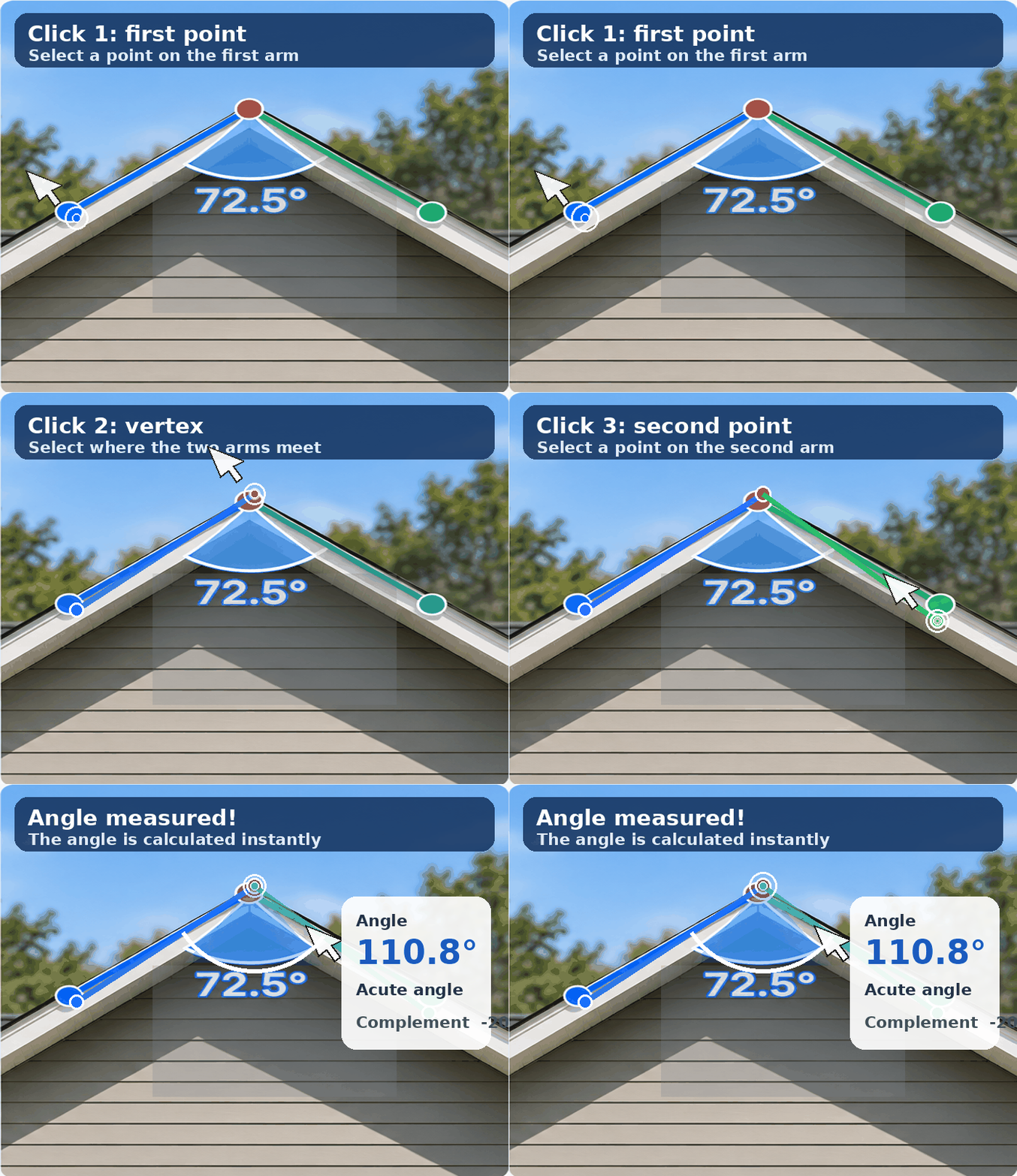
Interactive protractor
Click the image to measure or you can measure angel without image too
Tip: zoom in to inspect details, then use the scrollbars to move around the image.
See it in action
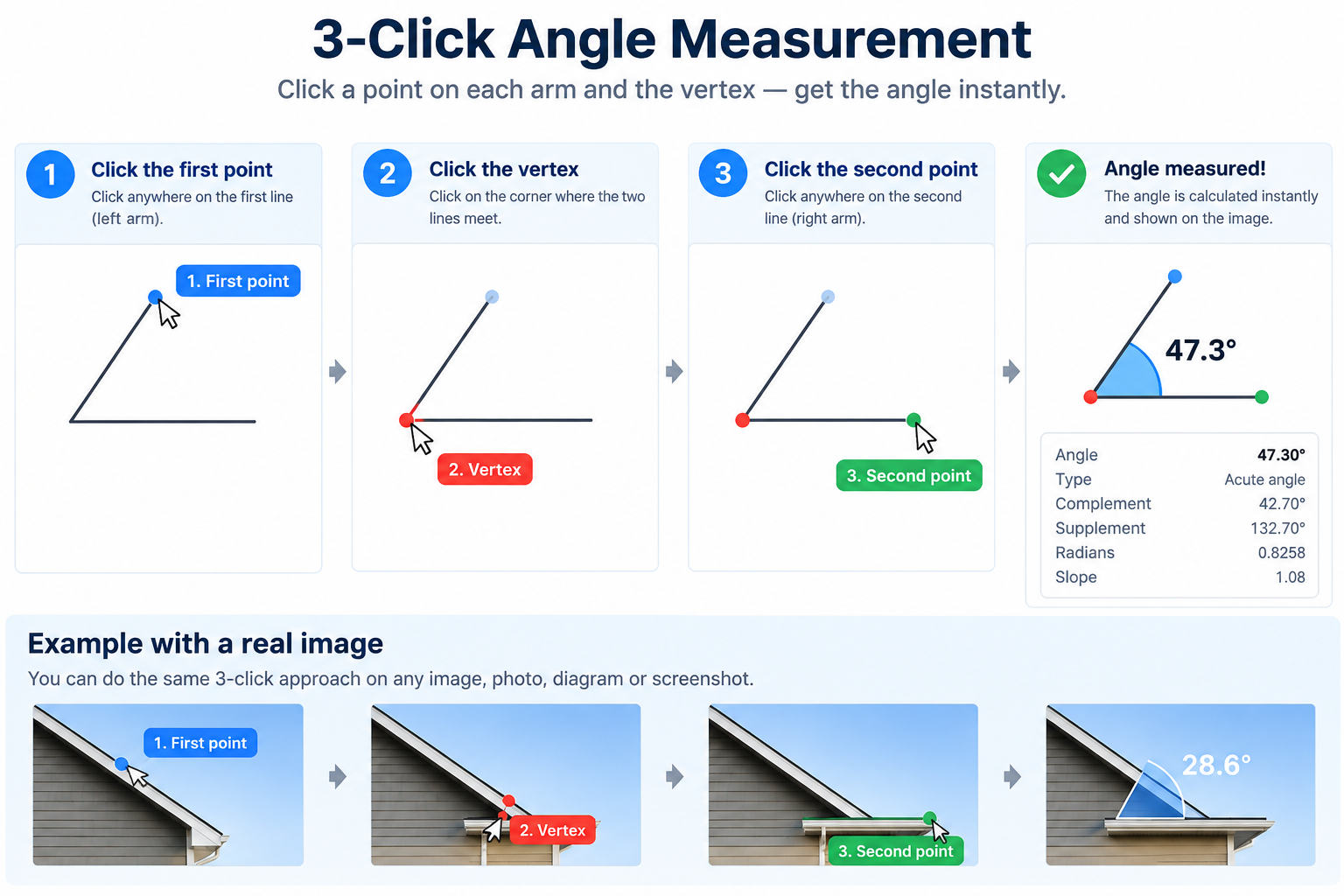
The 3-click approach
Your image stays sharp and the measurement is drawn directly over it, so you can check the result at a glance.
About this tool
Online Protractor – Measure Any Angle in Three Clicks
An online protractor is a convenient way to measure angles directly from a computer, tablet, or phone without carrying a physical protractor. Whether you are checking a geometry problem, studying a diagram, reviewing a photograph, or inspecting a screenshot, this free online tool turns the image into a simple measurement workspace. The online protractor tool is designed to be clear for beginners while still being useful for anyone who needs a quick angle finder in a browser.
The main feature is a three-click angle measurement system. First, choose a point somewhere along one arm of the angle. Second, choose the vertex, which is the exact corner where the two arms meet. Third, choose a point along the other arm. The tool calculates the angle in degrees and draws the result directly over the image. This approach is useful when a traditional protractor is difficult to place, such as on a roof photo, a construction image, a technical drawing, a worksheet, or a screenshot. It also follows the same basic idea used when measuring an angle with a physical protractor: identify the vertex, align the two arms, and read the angle they create.
The interactive workspace gives you several ways to begin. Upload an image from your device, paste an image from your clipboard, or start with the built-in sample diagram. When a corner is small or a line is hard to see, use the zoom controls and scroll around the enlarged image. You can save up to five separate measurements on the same image, making the tool useful for comparing several corners in a drawing. If you make a mistake, clear the measurements and start again. Images are processed in your browser, so the measurement workflow stays quick and private.
How to use the online protractor
- Add your image. Upload a photo, diagram, screenshot, or drawing. You can also paste an image directly from your clipboard or try the sample.
- Select the first point. Click anywhere on the first arm. The first small marker appears immediately so you can see exactly where your selection was placed.
- Select the vertex. Click the precise corner where the two arms meet. Zoom in and scroll when you need more control.
- Select the second point. Click anywhere along the second arm. The angle is calculated as soon as the third point is selected.
- Read or repeat the result. The reading appears on the image and in the results panel. Add more three-point measurements or clear the panel when you are finished.
Who can use an online protractor?
An online protractor for students can help with geometry homework, classroom demonstrations, worksheets, and online protractor practice. Students can select points on a diagram and check their work visually instead of guessing where a physical tool should be positioned. Teachers can use a free online protractor tool for students to demonstrate the relationship between a vertex and its arms during a lesson. It can also help parents explain angle measurement at home.
Outside the classroom, the tool can be useful for designers, engineers, architects, construction professionals, DIY users, and anyone who needs to inspect an angle in an image. A roof line, a stair, a technical sketch, a product photo, or a screenshot can all become a practical measurement surface. Because the tool runs in a browser, there is no desktop software to install and no account required. A larger screen may make precise work easier, but the responsive interface also works on phones and tablets.
A simple, visual angle finder
This interactive online protractor is built around the point you actually want to measure. Instead of covering your image with a large virtual instrument, it keeps the original picture visible and places a small overlay on the selected arms. The result is easy to check at a glance, and the saved measurements make it possible to compare several angles in one session. If you are looking for an online protractor drawing tool, a free online protractor, or a straightforward way to measure an angle from a photo, the three-click workflow keeps the process focused: select the first arm, select the vertex, select the second arm, and read the angle.
A few helpful answers
Online protractor FAQ
What is an online protractor?
An online protractor is a browser-based angle measurement tool. Instead of placing a physical protractor on paper, you upload or paste an image and select three points to identify the angle.
Is this online protractor free?
Yes. The free online protractor works in your browser without desktop software, an account, or a download.
Can I measure an angle from a photo?
Yes. Upload, paste, or drop a photo, diagram, screenshot, or drawing into the workspace. Select one point on each arm and the vertex between them to measure the angle.
How does the three-click angle finder work?
Click the first arm, click the vertex where the arms meet, and click the second arm. The result is then drawn on the image and added to the results panel.
Can students use this for geometry practice?
Yes. It is useful for geometry homework, classroom demonstrations, worksheets, and online protractor practice. Students can check their point placement and compare the displayed reading with their work.
Can I use the online protractor on my phone?
Yes. The responsive interface works on phones and tablets as well as desktop computers. A larger screen and a clear image can make detailed measurements easier.
How many angles can I measure on one image?
You can save up to five separate angle measurements on one image. Use “Measure another angle” to continue, or clear the measurements to begin a new set.